
Timetables
Select one of the options below to view our fitness class timetable or swimming pool programme.
How to Use Our Fitness Timetable
Finding your next class is quick and easy. Whether you’re trying something new or looking for a regular favourite, our timetable helps you see what’s available and book your place in just a few clicks.
Browse by day to view all upcoming classes or swipe across if you’re using a mobile device.
Use the filters to find classes that match your interests, preferred activity or location.
Select a class to learn more about it and find out what to expect.
Select Check Availability, then choose either + Basket if you’re booking multiple classes or Book to continue.
After selecting Book, you’ll be taken to the Members’ Area of our website. Here, you can either log in as a member or register as a pay as you go customer to complete your booking and payment.
Once your booking is complete, it will appear in your account, and you’ll receive a confirmation email.
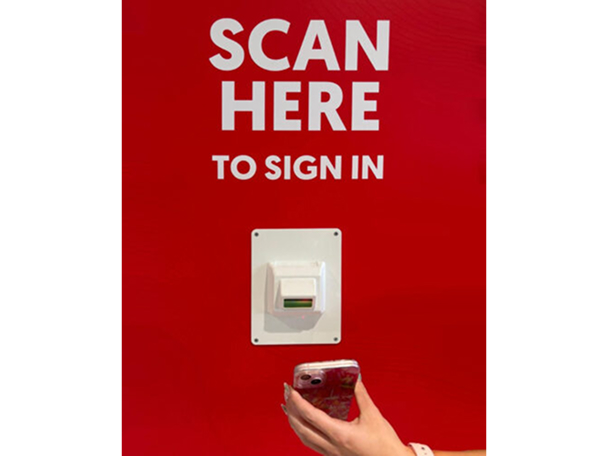
When you arrive, please remember to scan in at reception using your Active Card or membership QR code to avoid a non-attendance charge.
Check-in & cancellation system for fitness classes
Customers attending fitness classes need are required to scan their membership card or app QR code on arrival.
Checking in helps us keep classes fair and available for everyone. If you do not check in for a pre-booked class, a £2 pending charge will be applied to your account.
Timetables
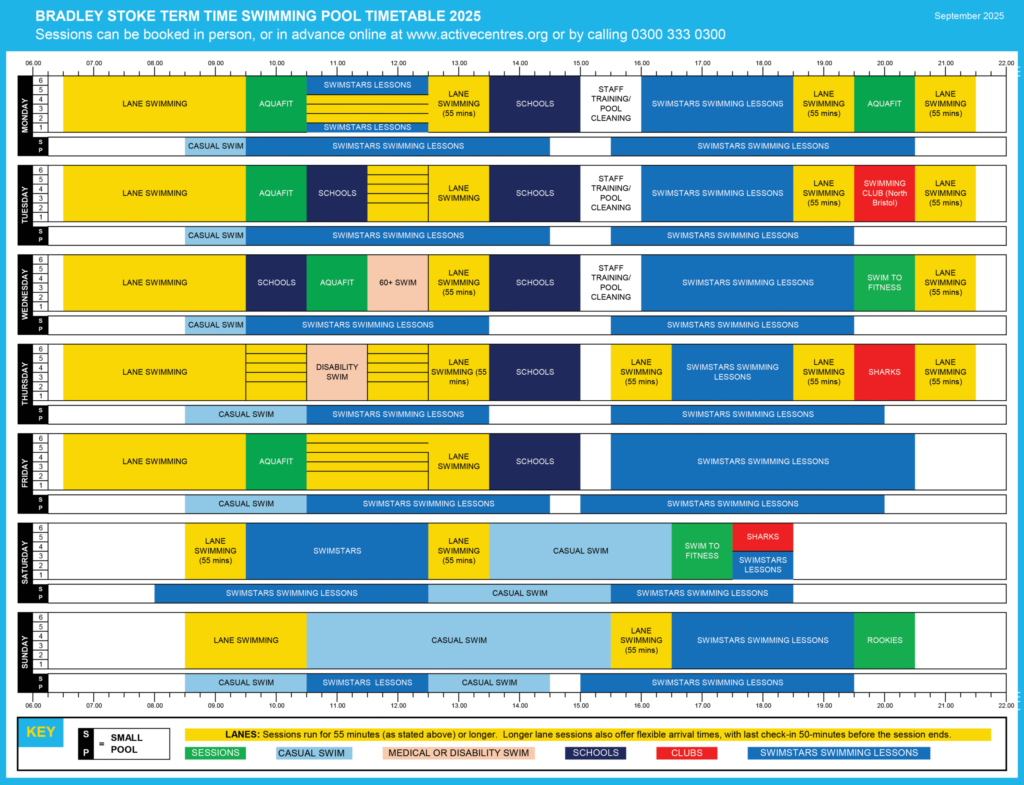
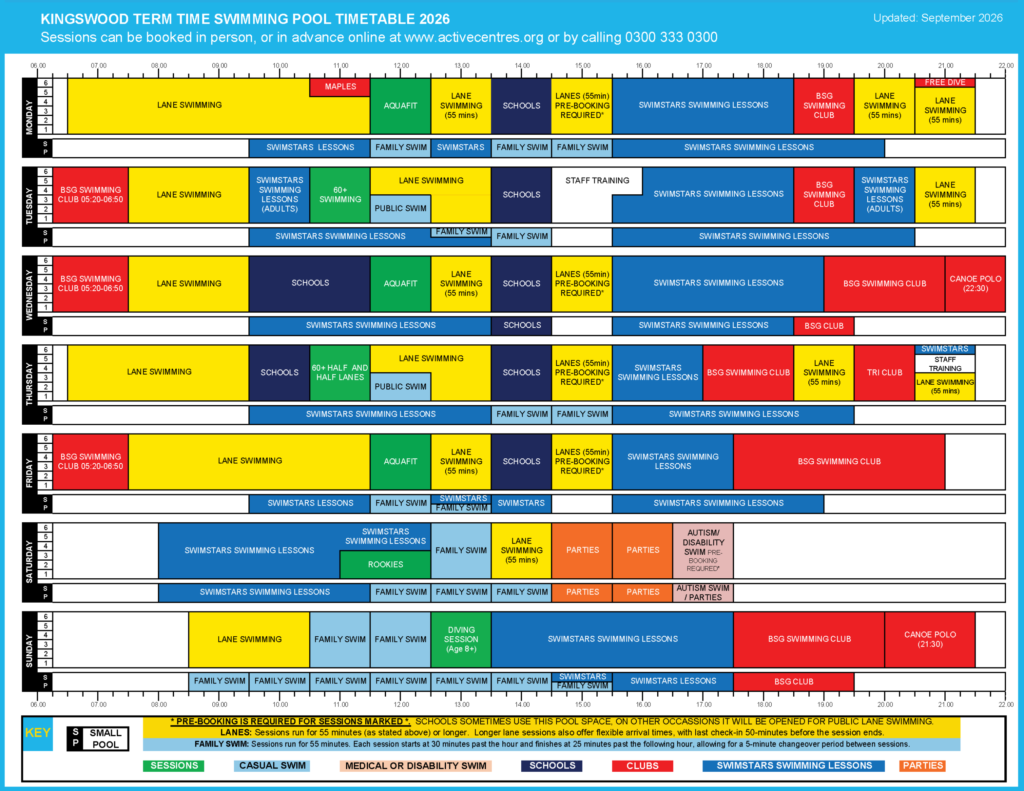
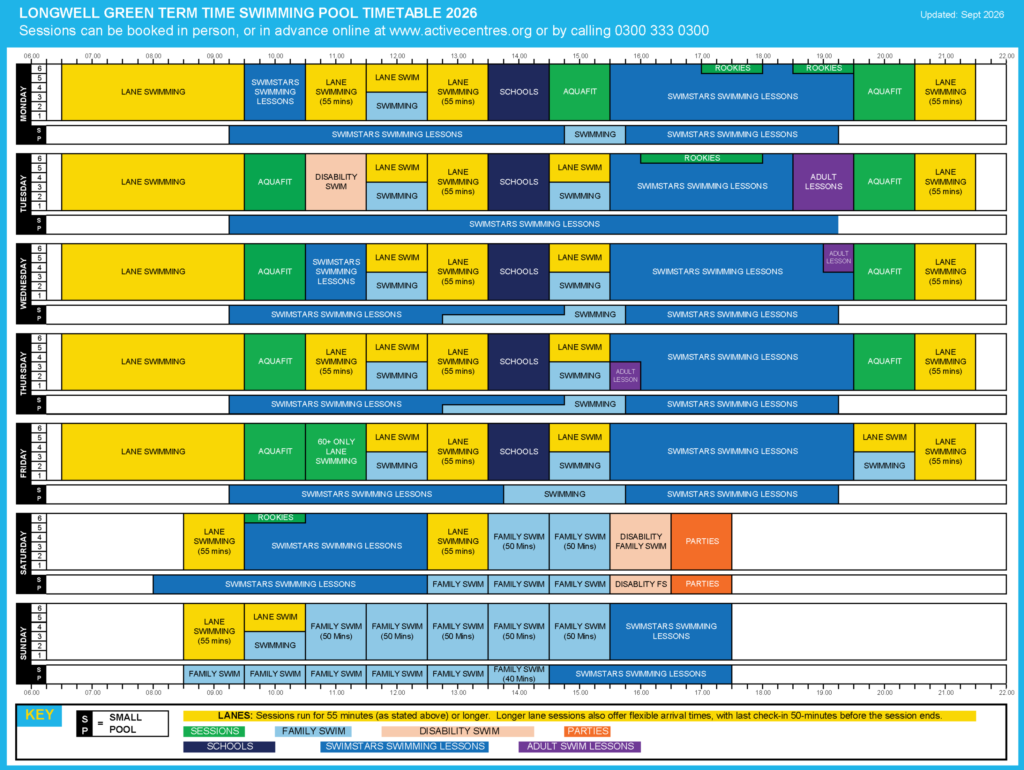
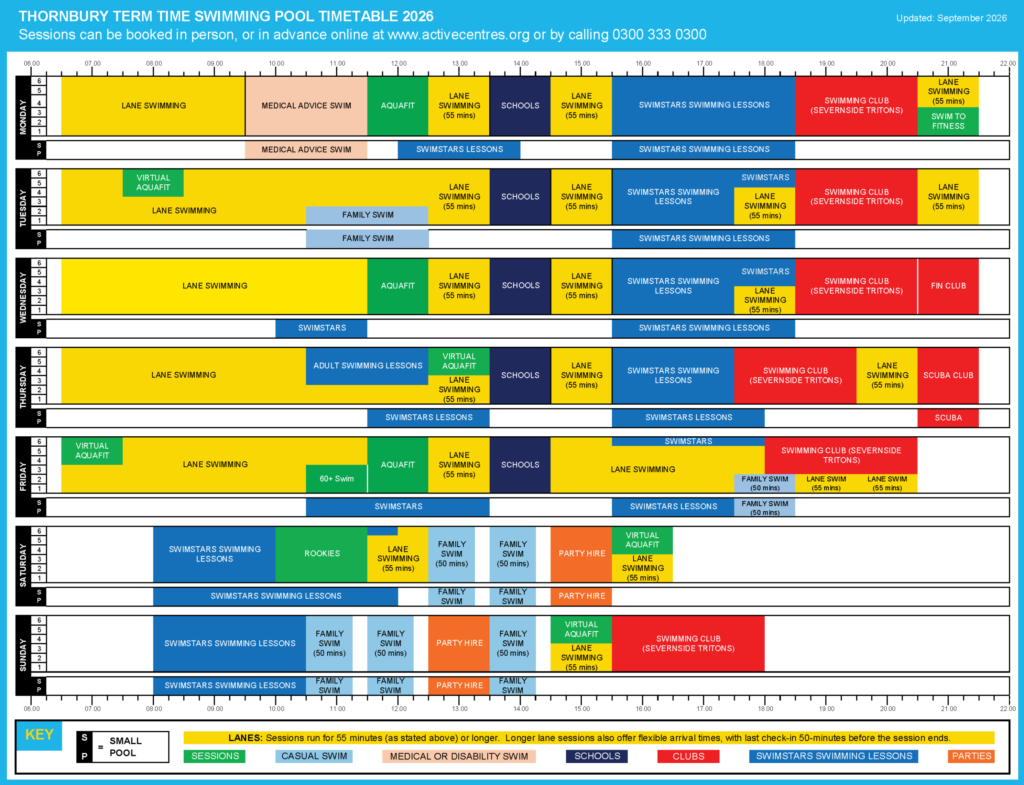
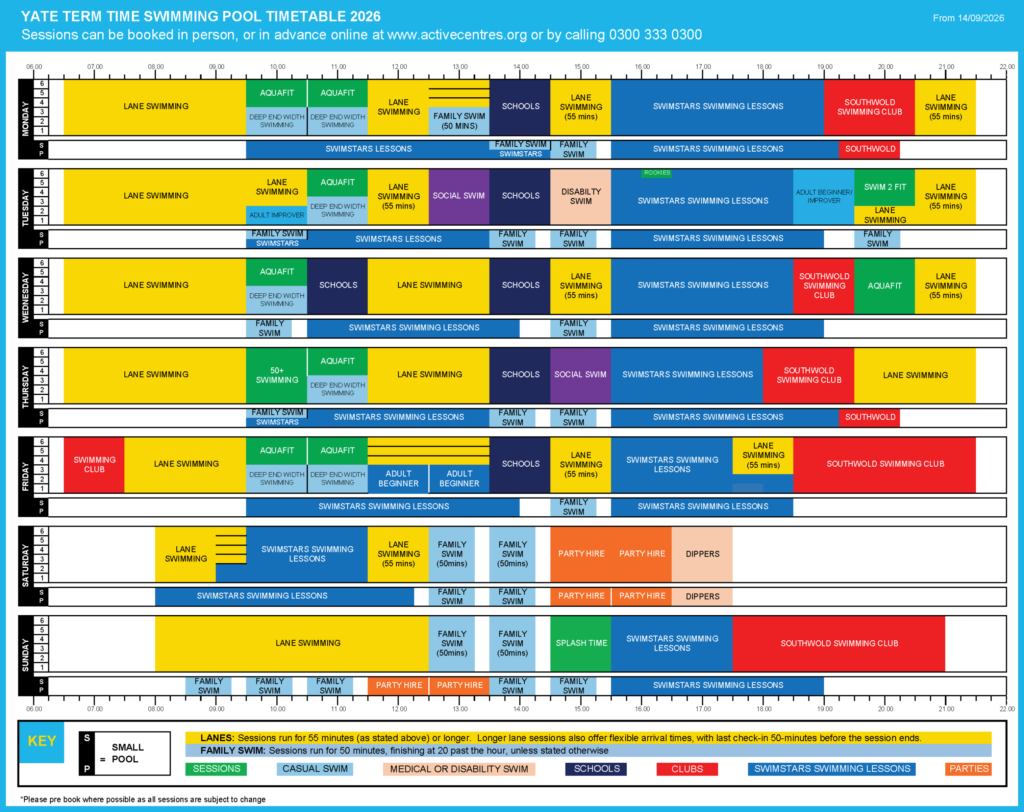
How to Read the Swimming Pool Timetable
Our swimming pool timetable shows what activities are taking place in both pools throughout the week. Follow the steps below to find the session that’s right for you.
Choose the Day
The timetable is divided into rows, with each row representing a different day of the week from Monday to Sunday.
Once you’ve found the day you’re interested in, read across the row to see what sessions are taking place throughout the day.
Check the Time
Times run across the top and bottom of the timetable from 6.00am to 10.00pm. Each coloured block shows:
- The activity taking place
- The start and finish time
- How long the session lasts
The longer the block, the longer the session.
Identify Which Pool You Need
- Main Pool – The larger section displays activities taking place in the main swimming pool.
- Small Pool (SP) – The smaller section beneath the main pool shows activities taking place in the small pool.
Learn more about pool guidelines and prices page.